Task Management
The Task Management feature enables users to create, assign, and track actionable items within the system. It ensures proper follow-up on queries, insights by assigning clear ownership and tracking progress.
note
Tasks can be created and assigned to any user within the system.
Accessing Tasks
- Navigate to Tasks from the left navigation panel.
- The Task page will display all tasks based on selected view and filters.
Task Creation Methods
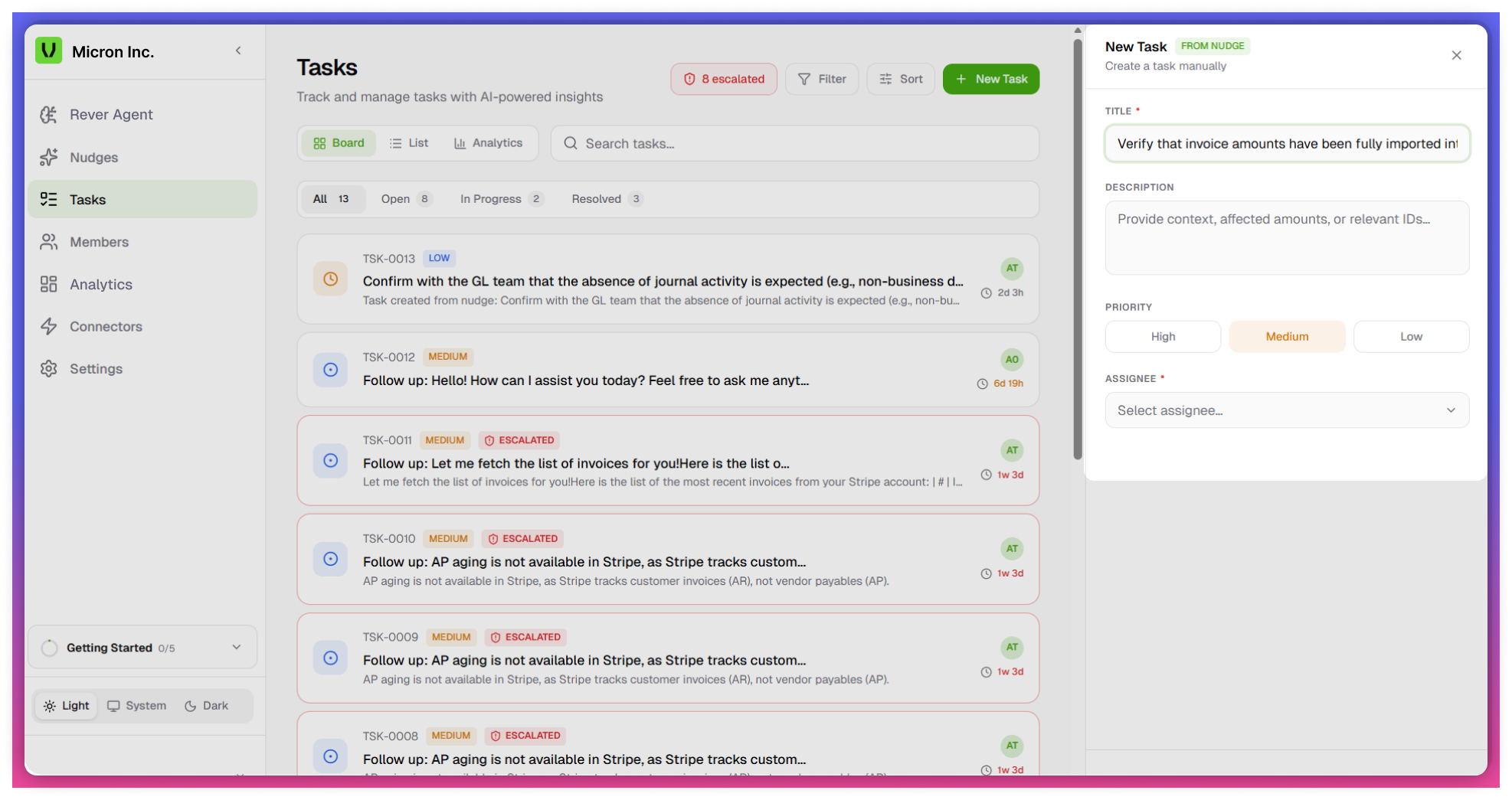
Create Task via “New Task” Button
- Click on the New Task button
- A task creation dialog box will appear
- Provide the following details:
- Title - Brief name of the task
- Description - Detailed explanation
- Priority - High / Medium / Low
- Assignee - Select a user
Create Task from Nudges
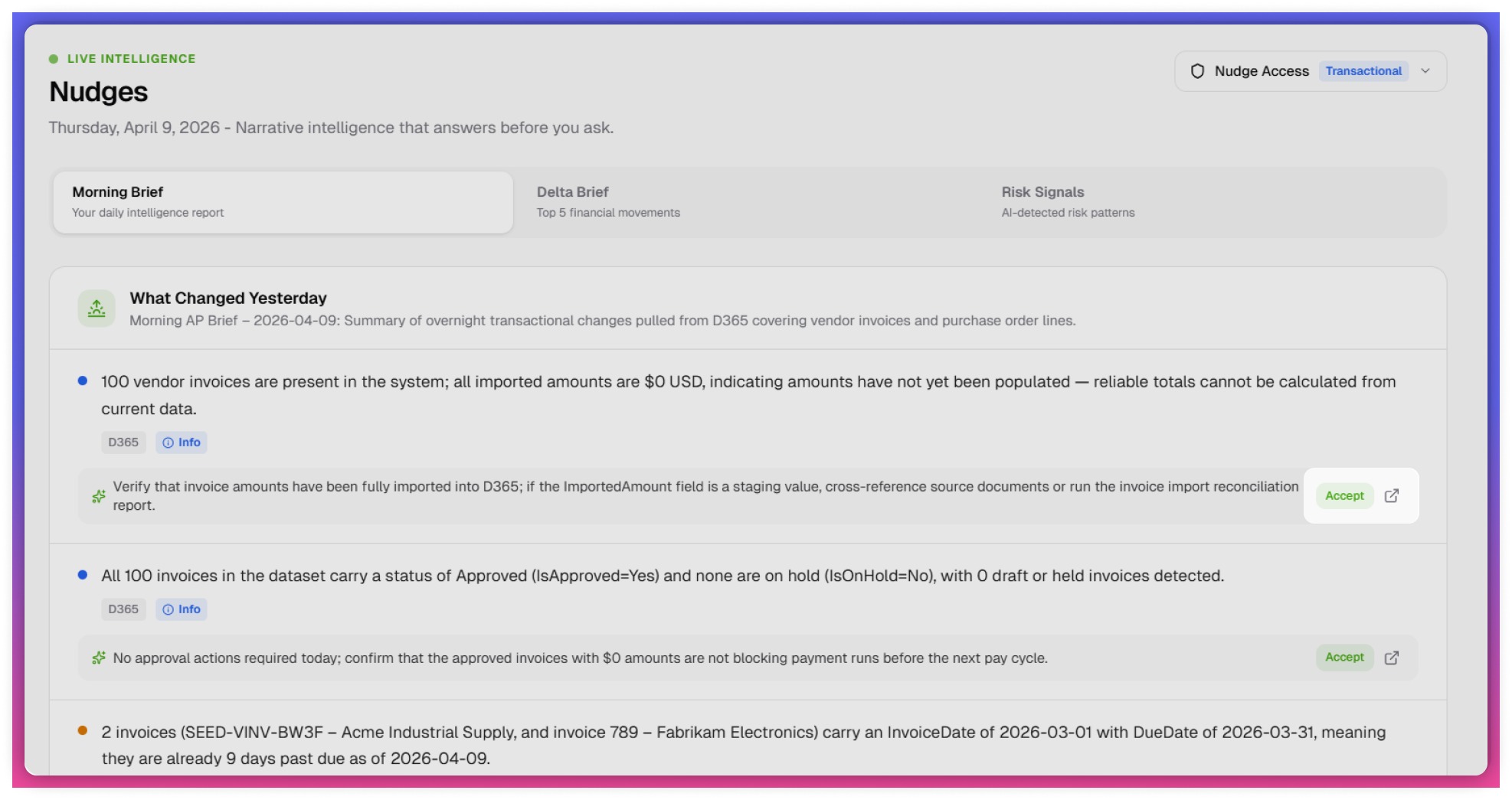
- Navigate to the Nudges section
- Click on the Accept icon on a nudge
- Behavior:
- Task is automatically created
- Title is auto-generated (editable)
- User must provide:
- Description
- Assignee
- Priority
- Behavior:
tip
Modify the auto-generated title for better clarity.
Create Task from Rever Agent
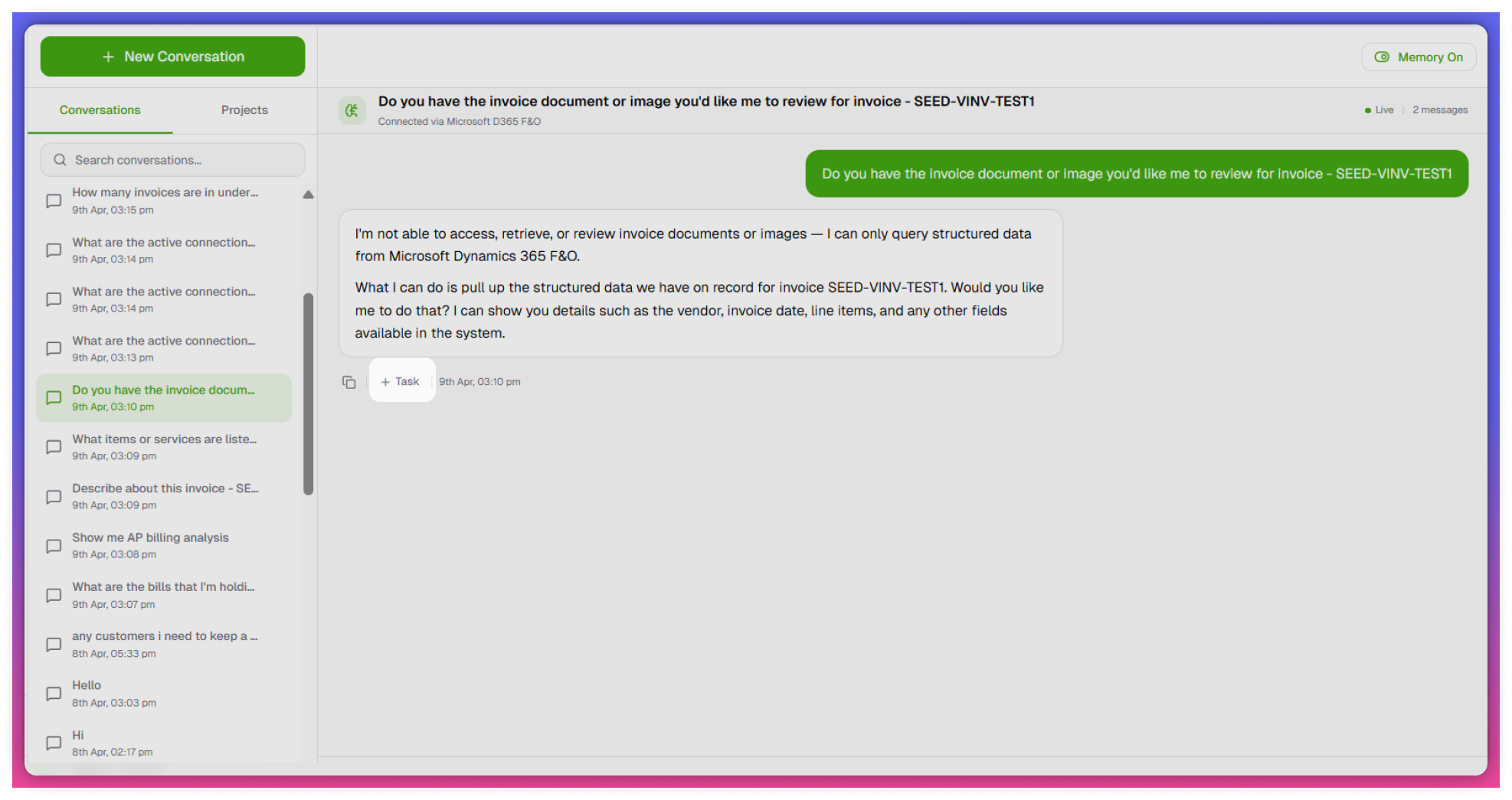
- Submit a query in Rever Agent
- After receiving a response, click on the Task option
- Behavior:
- Title is auto-populated from the query
- User must provide:
- Assignee
- Priority
- Additional details (if required)
- Behavior:
tip
Auto-generated titles can be edited.
Task Views
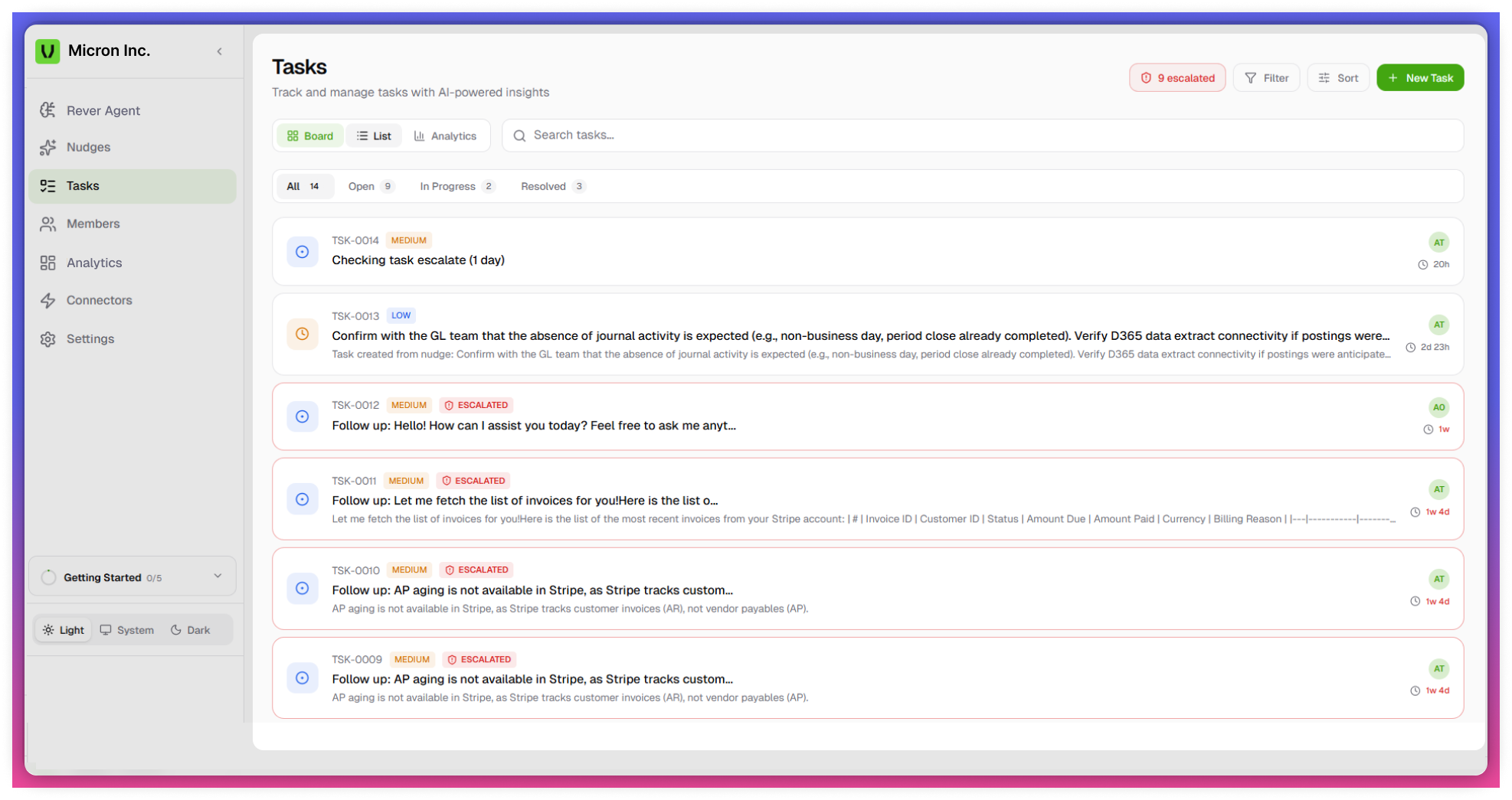
The Task page supports multiple views for efficient tracking:
Board View
- Displays tasks in stages:
- Open
- In Progress
- Resolved
- Helps track task status visually
List View
- Displays all tasks in a structured list
- Includes key details such as:
- Title
- Assignee
- Priority
- Status
Timeline View
- Displays tasks based on time and duration
- Helps in planning and scheduling
Analytics View
- Provides insights into:
- Task performance
- Completion trends
- Workload distribution
Task Assignment
- Tasks can be assigned to any user (Admin or Member)
- Assigned user is responsible for task execution and completion
- Ensures accountability and ownership
Task Categorization
- Tasks are categorized based on Anomaly Type
- Benefits:
- Better organization of tasks
- Easier prioritization
- Improved visibility into recurring issues
- Benefits:
Task Escalation
- Tasks can be escalated based on rules configured in Settings
- Behavior:
- Overdue tasks are escalated automatically
- Helps highlight critical or delayed tasks
- Benefits:
- Ensures timely action
- Reduces delays in resolution
- Behavior:
Notes
- Task visibility may depend on user roles and permissions
- Task behavior (e.g., escalation, mandatory comments, locking)s controlled via Task Settings
- Auto-generated tasks require manual input before completion